Rolling Out an Agent Skill Without Changing an Open Draft
A reporting skill can sum the amount correctly and still deliver a file that breaks a downstream task. We changed its output from a line of text to JSON, then ran a rollout and rollback using 12, 17, and 13. The deployment order that follows is to make readers accept both formats, switch new sessions to the new skill, and let open drafts finish on their original version.
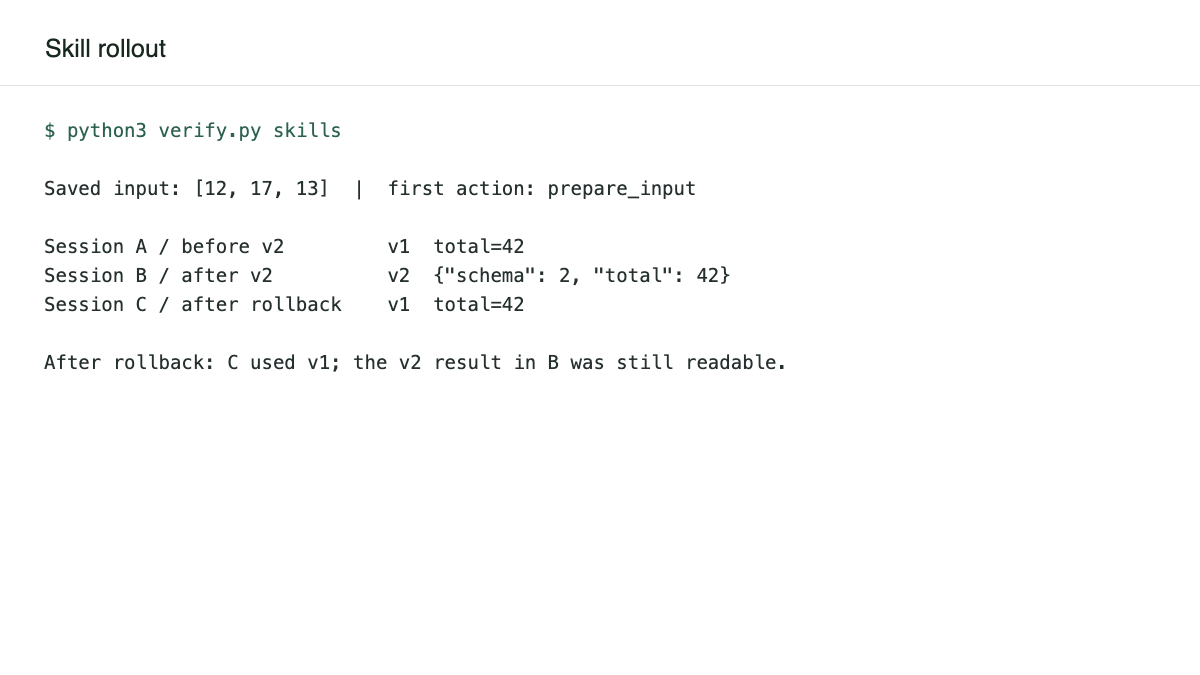
All sessions used identical inputs. After rollback B could still read its previously produced v2 report.
Where the version decision belongs
Each version installed SKILL.md and render.py at the same paths in a separate sandbox, then captured an fs-only snapshot. The orchestrator kept a pointer to the default snapshot and resolved it once per new session. Session A remained running. Changing the pointer did not replace its disk or processes.
The model read the installed skill and selected either prepare_input or render_report for each request. Input stayed in the session. The versioned Python formatter generated the report. This tests the connection between version selection and tool execution.
Why the same request produces two formats
The model decides which action to call. Asked to finish a report, both A and B selected render_report. The installed render.py decided the file format. One level higher, the orchestrator resolved the default snapshot only when opening a session. The release pointer selected a sandbox version, subsequent requests followed the session binding, and the installed formatter produced the file. A model can choose the correct tool every time and still return the wrong format if its request lands in the wrong sandbox.
A filesystem snapshot fits this distribution problem: share skill instructions and code, while starting each user with an empty draft. In v0.8.0, fs-only retains files and starts fresh processes. We captured the tool before writing input into each session. A snapshot of a workspace already containing a user’s draft could include that file in the next session. Package the dependencies, instructions, and formatter together. Give user inputs, credentials, and reports their own storage lifecycle. SDK snapshot contract
What the three sessions produced
| Session | When opened | Observation |
|---|---|---|
| A | Before v2 rollout | Staged a v1 draft. Completed after rollout as total=42 |
| B | After v2 rollout | Produced JSON with schema=2 and total=42 |
| C | After rollback | Produced total=42. B’s old report remained readable |
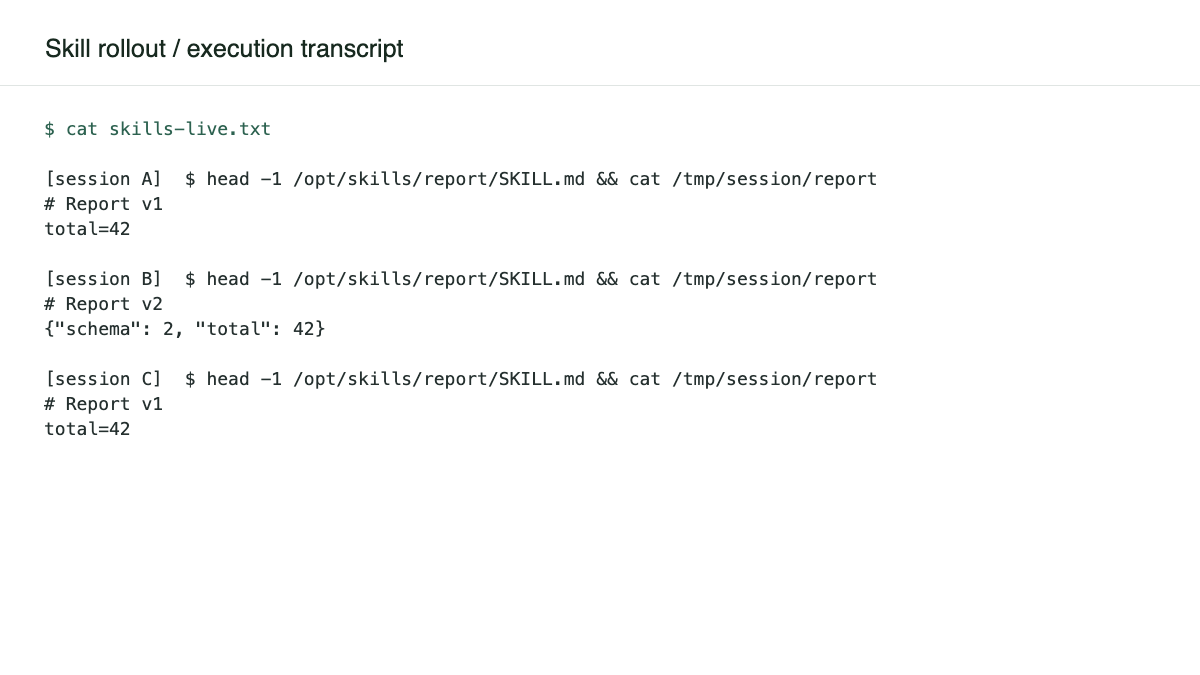
An independent repeat of the same workflow. Identical guest commands print each session’s installed version and actual report.
What a rollback can recover
Rollback controls future sessions. Previously delivered v2 reports keep their format, so downstream readers need schema awareness. Moving an active session also needs a draft migration policy. The experiment used an in-process pointer. A production service needs durable version mappings and coordination between concurrent publishers. The WeKnora case provided the use case. Its UI and native rollout policy were outside this test.
Upgrade the reader before changing the writer
Feed the measured artifacts to two strict readers. The legacy reader accepts a whole line of the form total=(-?[0-9]+). The new reader requires a JSON object with schema equal to 2 and an integer total. This local compatibility check against archived reports exposes a failure that checking only the model’s numerical answer would miss.
| Artifact | Legacy text reader | Strict v2 JSON reader |
|---|---|---|
| A and C text reports | Reads 42 | Parsing fails |
| B JSON report | Parsing fails | Reads 42 |
To let both session versions coexist, first deploy a consumer that reads both formats and rejects unknown ones. Then switch a limited set of new sessions to v2. After the default snapshot rolls back, people can still open existing v2 artifacts. Keep the reader compatible until their retention period or migration ends. The post-rollback check for B read the existing report. It did not ask the model to generate another one.
Keeping a draft on the right application replica
In the demo, one process held A’s sandbox object. With several application replicas, persist the session ID, resolved snapshot ID, and actual sandbox ID at the first request. Look up that binding for subsequent messages. Otherwise a refresh or a different application replica may open an empty workspace from the new default. To resume after a failure, also persist inputs and progress. A snapshot ID can recreate the v1 tools. It cannot recreate the 12, 17, and 13 that a user entered later.
Exercise three transitions before rollout. Switch versions while A has a draft and finish it on v1. Roll back after B delivers a report and read it downstream. Finally, route one session through two application replicas and confirm that both see the same draft. This run provides evidence for the first two. The third belongs in acceptance testing for a replicated application.
Download the raw data and verification script into one directory and run the command below.
Download the lab scripts. After extracting them, configure the endpoint and templates as described in the README. Start with skill.py.