Can a CubeSandbox Desktop Hand Off an Unsaved Draft?
When a desktop agent disconnects halfway through a form, an operator needs the draft and a working way to finish it. Resuming the original instance returned a proxy-route error. A new instance from a full snapshot retained the unsaved draft, and the next client used the mouse to approve and save it. Editors that depend on remote keyboard input still need their own acceptance test.
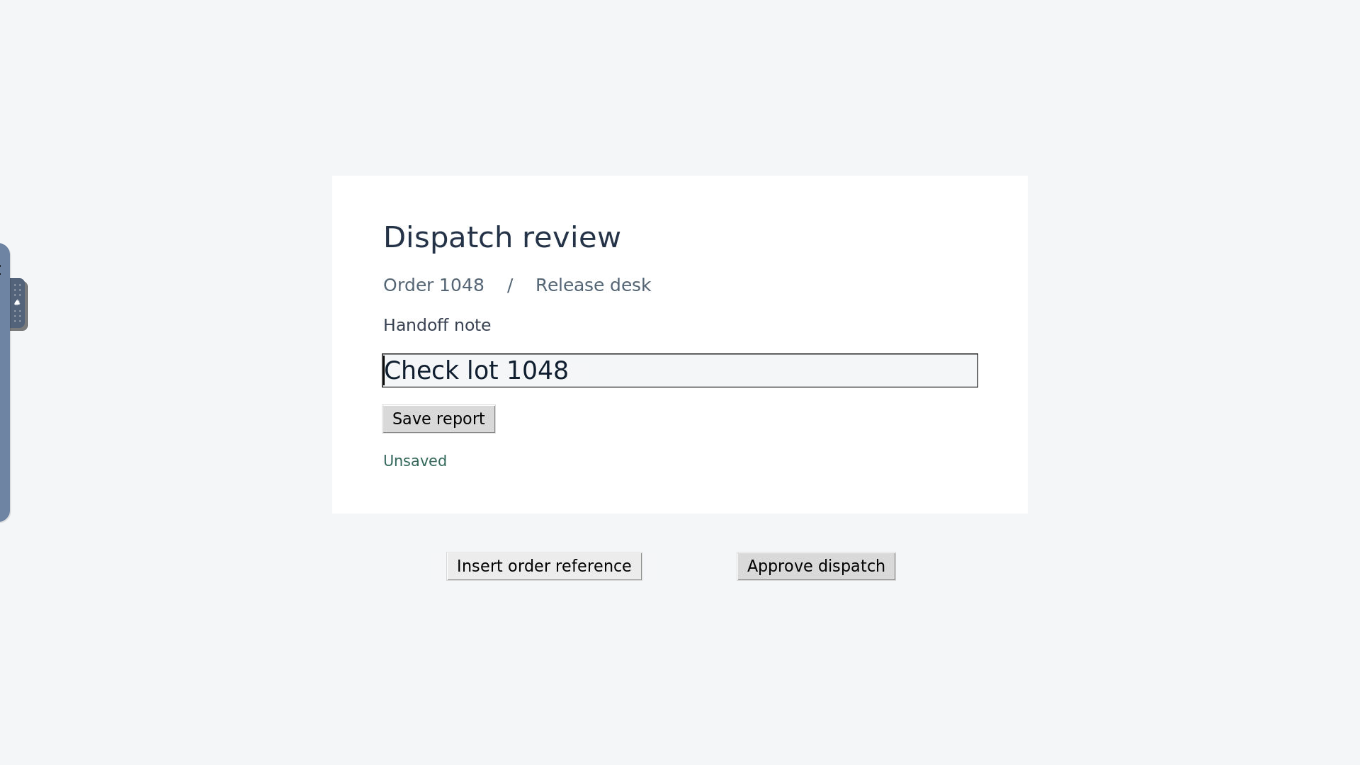
An external Chromium client controlled this noVNC session. The entry reads Check lot 1048, the UI says Unsaved, and the driver confirmed the report file did not exist.
How the browser reached the guest
The guest ran Debian 13, Xvfb, x11vnc, websockify, and a small native Tk application. An external browser used the exposed port 9000, loaded /novnc/vnc.html, and exchanged input and framebuffer updates through /websockify. A client-side loopback forwarder preserved sandbox routing headers for HTTP and WebSocket. Direct guest-port access to 6901 returned 404 even though a service listened on it inside the guest.
Playwright drove two operator sessions through separate browser connections. Remote pointer input reached the native desktop. Ordinary forwarded keystrokes failed to populate the Tk field in this template. To test handoff independently, the operator used the application’s insert-reference and approve buttons, then clicked Save. Acceptance included reading the resulting file inside the guest.
Restoring a desktop involves three kinds of state
The entry field lived in the Tk process. The report file was written only after Save. Xvfb maintained the display, x11vnc sent updates to noVNC over RFB, and a new browser had to establish its own WebSocket connection. Outside the guest, CubeProxy mapped a sandbox ID and port to the current backend. Closing a browser tab, pausing a guest, and losing a proxy route therefore exercise different failure paths. A login page or a stale frame establishes none of the other recovery conditions. noVNC client API
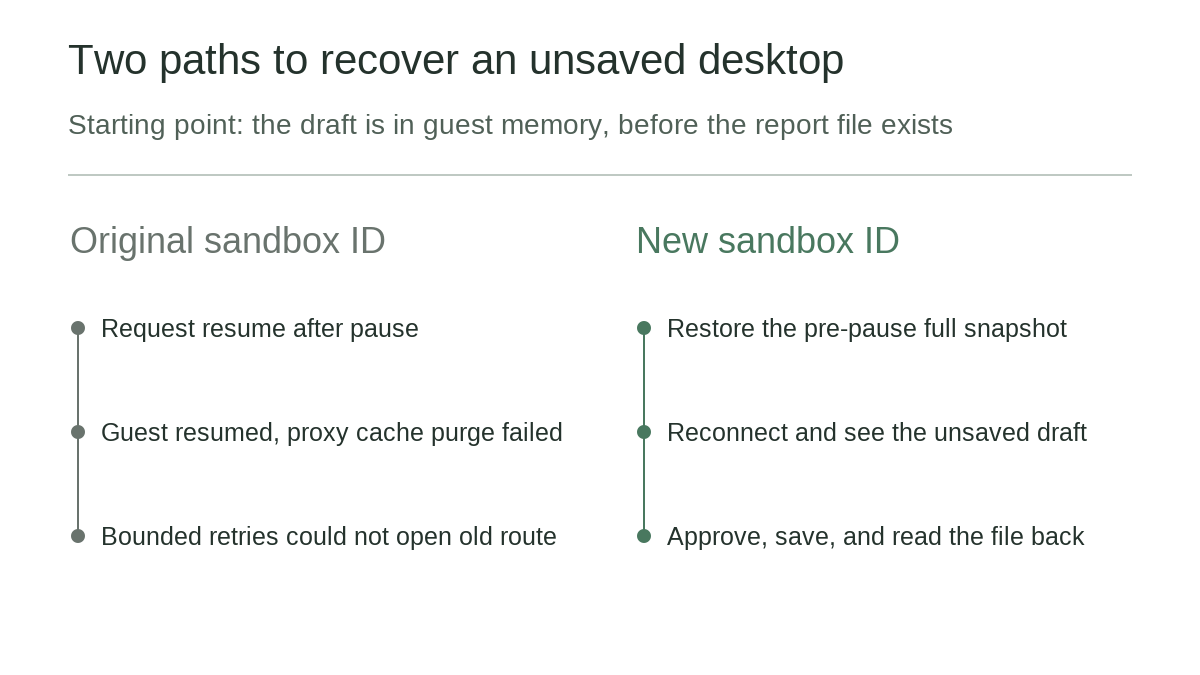
Based on the run and v0.8.0 source. The left path follows the original ID. The right shows handoff to a new ID. Both start from the desktop state observed before pause.
In v0.8.0, 130593 is a generic Master internal error. The diagnostic evidence was the accompanying message that the sandbox had resumed but CubeProxy still retained the previous route. After Cubelet reports success and the ID matches, Master rewrites the proxy mapping, then asks each CubeProxy replica to invalidate the old backend cache. Failure to confirm even one invalidation can return an error to the caller while the guest is already running. The evidence narrows the fault to that step. It does not distinguish admin endpoint discovery, connectivity, or authentication. v0.8.0 resume path · Per-replica cache invalidation
Same-ID resume and restore-to-new results
| Step | Observed result |
|---|---|
| Close client. Capture full snapshot | Draft existed in memory and target file was absent |
| Pause original | Call succeeded in 252 ms |
| Resume original | API returned 130593 after about 1,358 ms and reported a stale pre-pause route. Bounded retries did not restore browser access |
| Create from full snapshot and reconnect | New session showed the unsaved draft. The operator approved and saved it |
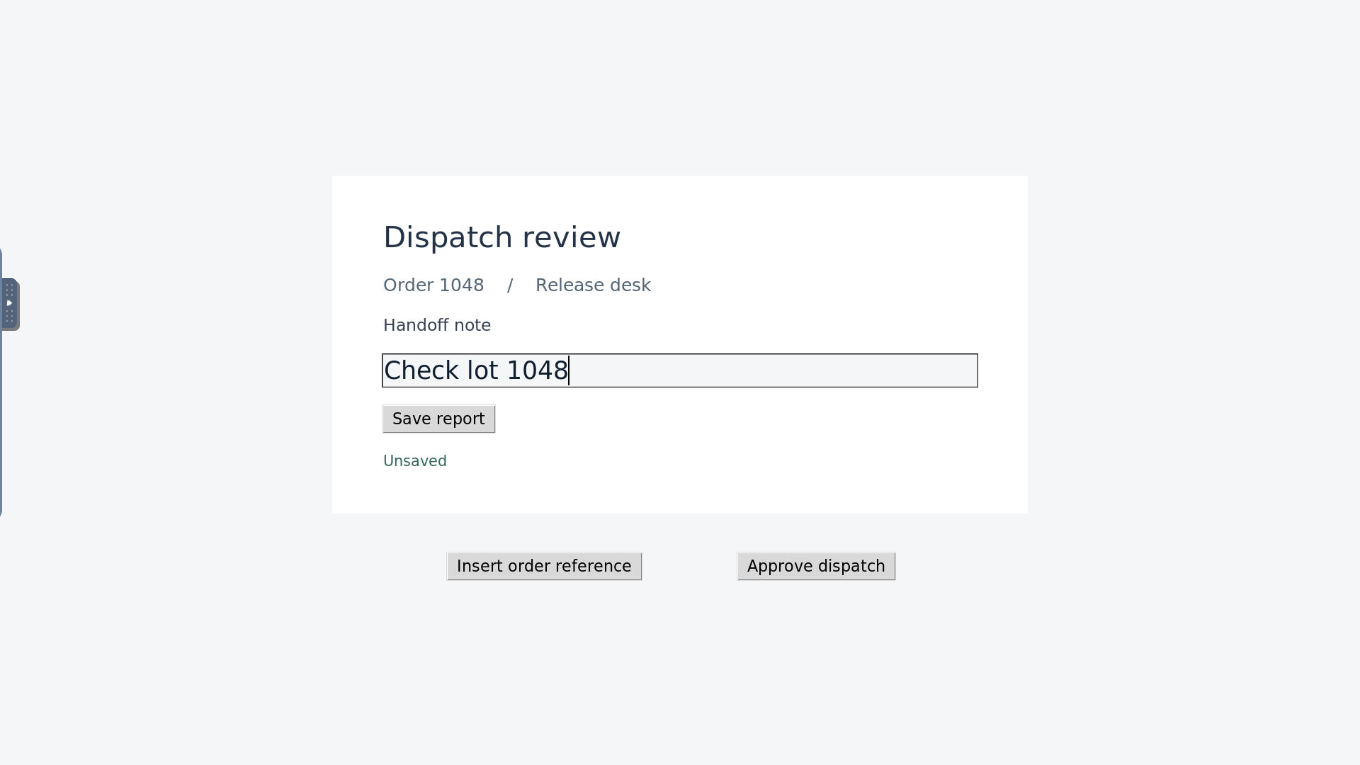
This is the new instance’s framebuffer before approval. The order reference was not re-entered.
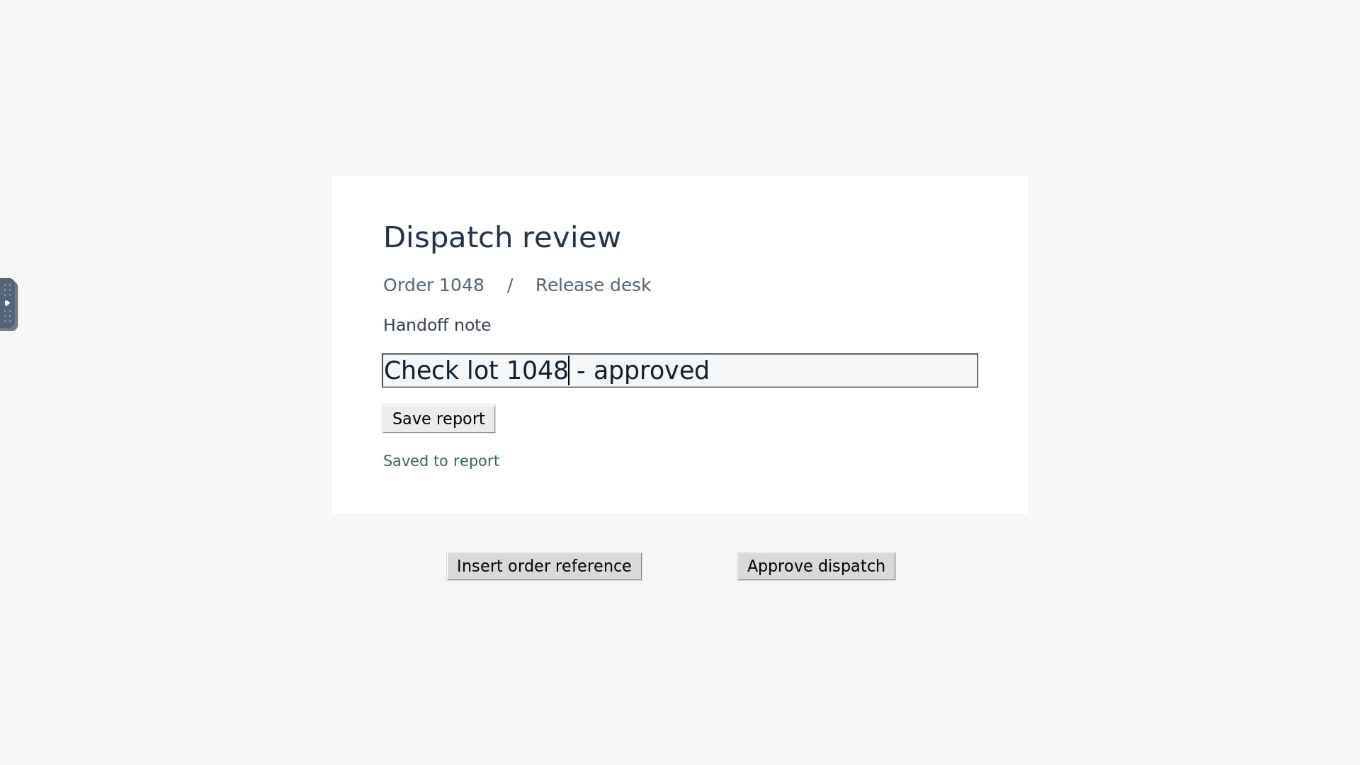
The final file reads Check lot 1048 - approved, and the window says Saved to report. These check the disk and display independently.
Designing a desktop task for handoff
A full snapshot carried this application’s memory state. The replacement needed a new route and client connection. Update references to the original ID, temporary links, or external leases when handing off. Verify reconnection, visible state, an actual interaction, and the saved artifact. Terminal or editor workloads also require a separate passing remote-keyboard check. This run used a Debian browser template. Upstream also provides an Ubuntu desktop recipe.
The first checks to make on call
| User-visible symptom | First discriminating check |
|---|---|
| Original desktop endpoint returns 404 | Check the exposed template port, sandbox ID, and path. Verify the listener inside the guest and test browser reachability separately. |
| Page loads, desktop never appears | Inspect the WebSocket upgrade, then the noVNC RFB handshake and arrival of new frames. HTTP 200 validates the static page only. |
| Desktop is visible and buttons work, but the field stays blank | Type a short string into a known field and read it back from the guest application. Then check input focus, layout, and key events separately. Pointer input passed here. The keyboard root cause remains open. |
| Resume errors but reports a running guest | Retain the old ID and full error, then examine route refresh per proxy replica. When restoring to a new ID, update the task’s active instance mapping before handing control back. |
Choose recovery based on where authoritative data lives. If the business system already holds the saved record, reopening it in a fresh desktop may be simplest. During a long edit without autosave, a full snapshot preserved the unsaved draft here. An approval sent to an external system after the snapshot will survive a guest rollback. Check that external record by its business ID before continuing, and let only one operator or agent submit at a time. The 252 ms measured pause latency; 1,358 ms measured a failed resume call. Neither measures time until a user can operate the desktop again.
Download the recorded observations
Download the lab scripts. After extracting them, configure the endpoint and templates as described in the README. Start with desktop.py.